[GTA] How to edit detail maps for SkyGfx (Mobile_details.txd)
Enviado: 18 Jun 2021, 15:56
Portuguese: f34-tutoriais/t6650-gta-como-editar-det ... mobile_det
To compile the .txd file, use Magic.TXD with LUM8 (RASTER_LUM) and mipmaps. Remembering that you can change this by pressing the M key. Do this with ALL textures.
Caution with mipmapping generation, because the generation may brighten or darken the texture on lower levels so in-game may change the lighting by distance, prefer to use some .dds mipmapping generation where you can "fade out to gray".
To add or change details on a texture that doesn't have it yet, open "texdb.txt", look for the texture name and on the line put the detail map ID in
To create a texture for the detail map, search for something like "seamless detail map texture" on Google Images or any texture site, or get some seamless texture, remove saturation (to tone it down (Photoshop's "Black & White" is more advisable) and adjust its brightness and contrast to suit the original. Usually you will lower the contrast a little bit and increase the brightness.
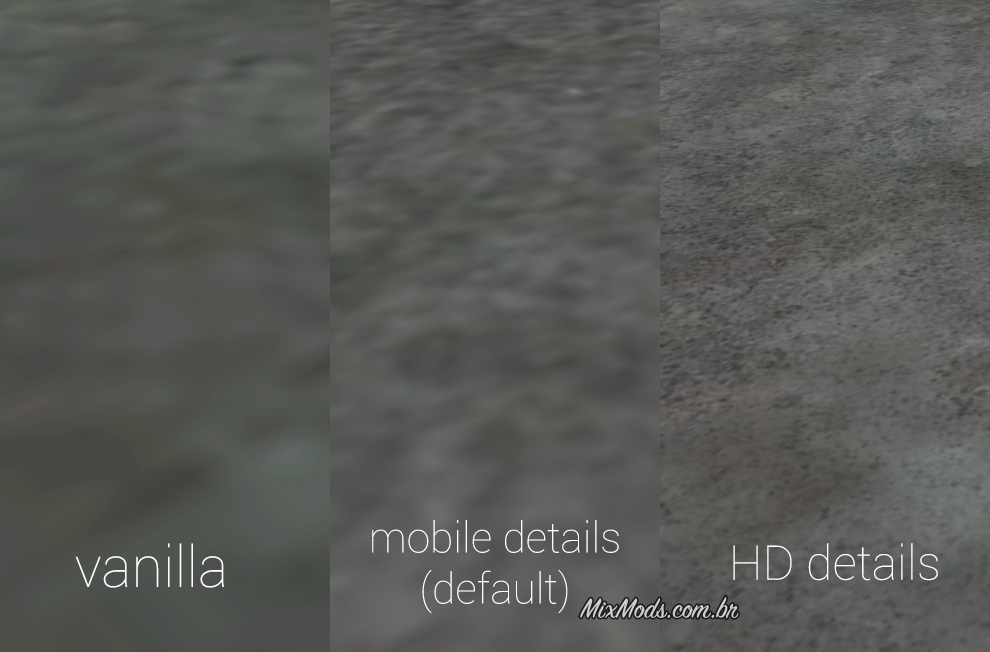
However, choose carefully which texture to use: a detail map is a smaller but more repeated/tiled texture that sits on top of the base texture so it doesn't blur when you see it up close. It can only use fine details.
To compile the .txd file, use Magic.TXD with LUM8 (RASTER_LUM) and mipmaps. Remembering that you can change this by pressing the M key. Do this with ALL textures.
Caution with mipmapping generation, because the generation may brighten or darken the texture on lower levels so in-game may change the lighting by distance, prefer to use some .dds mipmapping generation where you can "fade out to gray".
To add or change details on a texture that doesn't have it yet, open "texdb.txt", look for the texture name and on the line put the detail map ID in
hasdetail.Código: Selecionar tudo
1 = Detail_Asphalt (asphalt/tarmac)
2 = Detail_Grass (grass)
3 = Detail_Sand (sand)
4 = Detail_Water (water)
5 = Detail_Bark (palm tree)
6 = Detail_Stucco (wall)
7 = Detail_Rock (rock)
8 = Detail_Fabric (cloth)
9 = Detail_Concrete (concrete)
10 = Detail_WoodHoriz (horizontal wood)
11 = Detail_WoodVert (vertical wood)
12 = Detail_Bark2 (common tree trunk)
13 = Detail_Gravel (gravel)
14 = Detail_Darken (texture darkening)However, choose carefully which texture to use: a detail map is a smaller but more repeated/tiled texture that sits on top of the base texture so it doesn't blur when you see it up close. It can only use fine details.